

Completing a Self-Review
Some assignments may have a “Self-Review” component, where students complete their own review of their assignment before final grading. If a self-review is required for an assignment, you will see a clear message indicating when it is due, both on the assignment page and on your submission page. The deadline for completing the self-review is configured by your instructor, and is relative to the due date of the assignment. Instructors can configure Pawtograder so that the self-review can not be completed until the coding part of the assignment is due, or might also allow you to finalize your submission early, allowing you to complete the self-review before the coding part is due.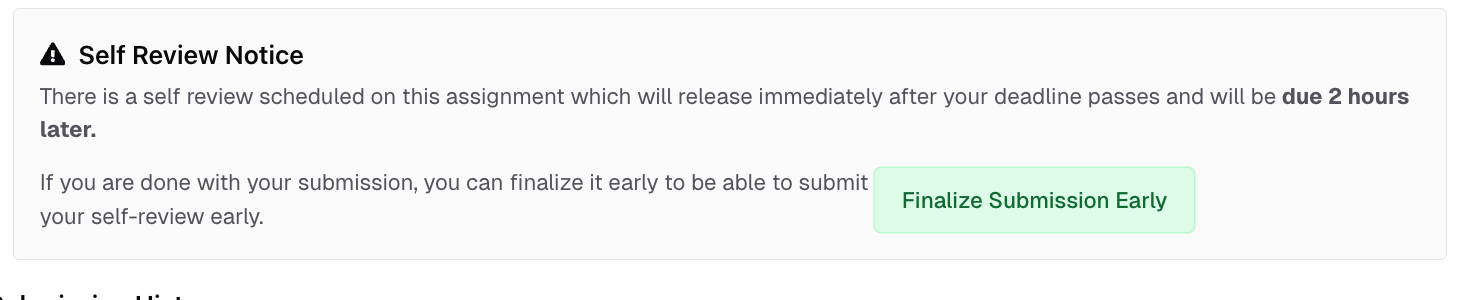
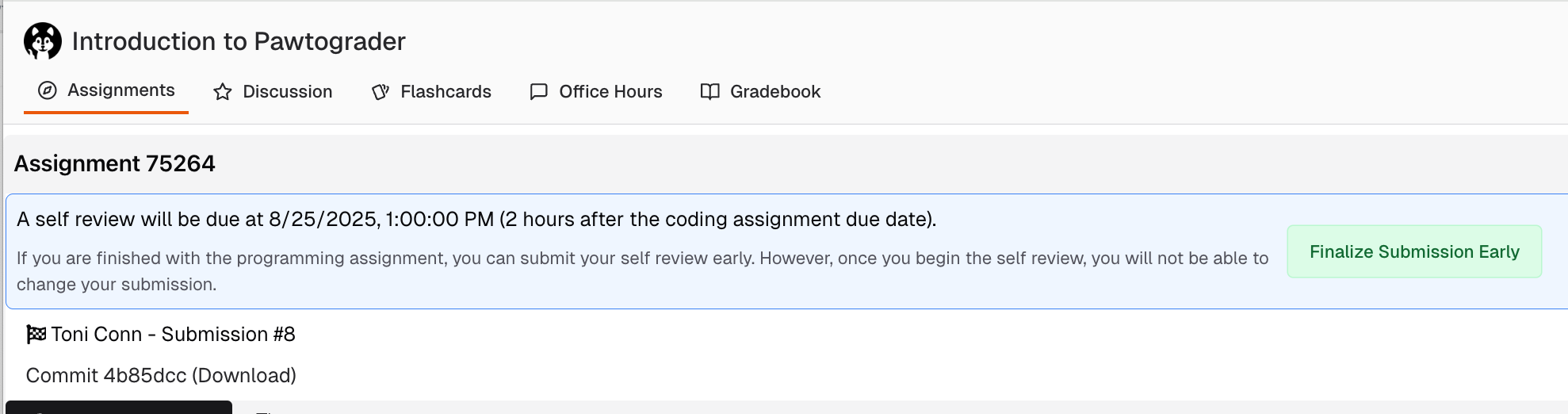
Completing a Self-Review
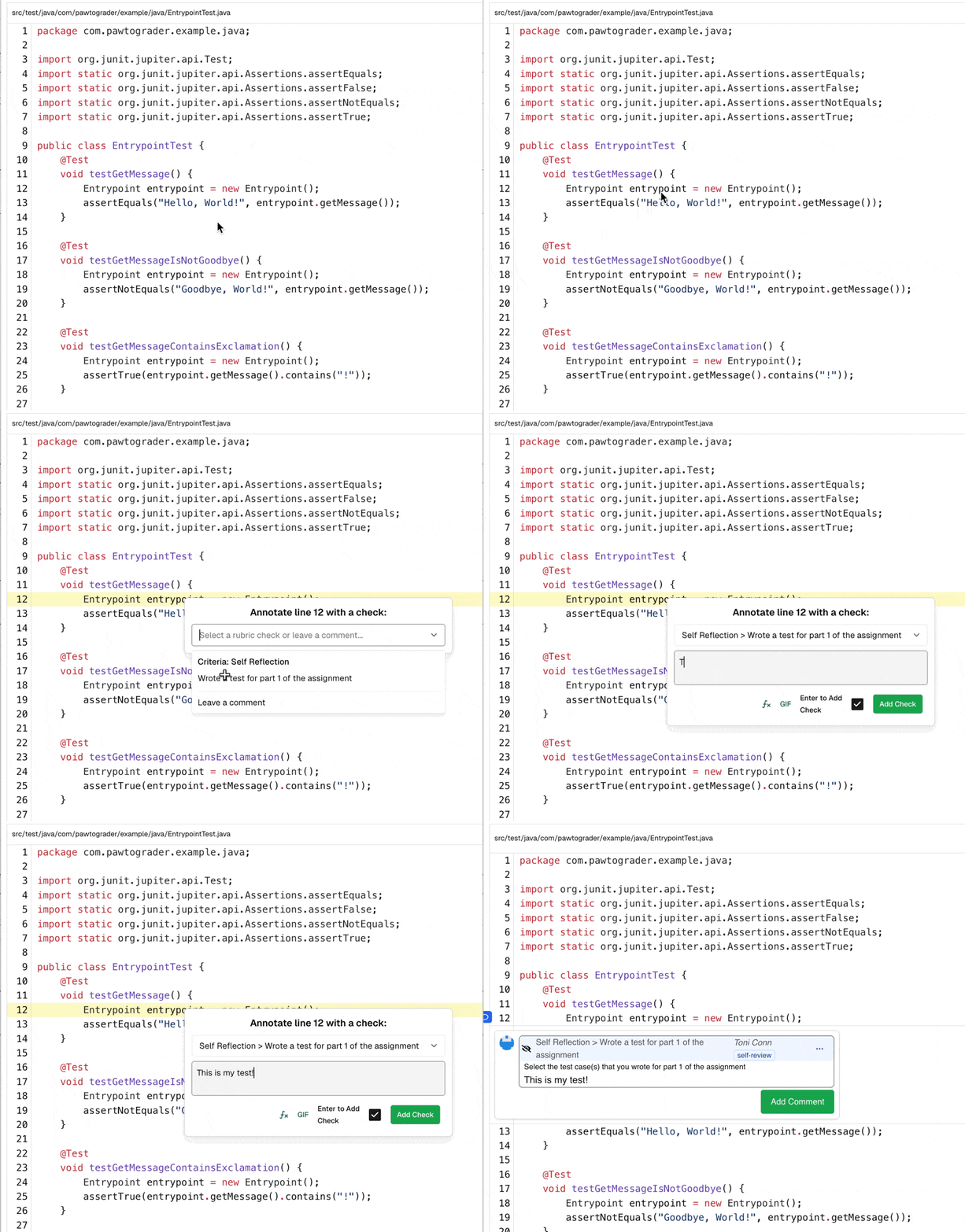
Once your self-review is available, you will see a banner indicating when it is due. On the right hand side of the page, you’ll see a “Self-Review Rubric” section. Items outlined in red are required to be completed.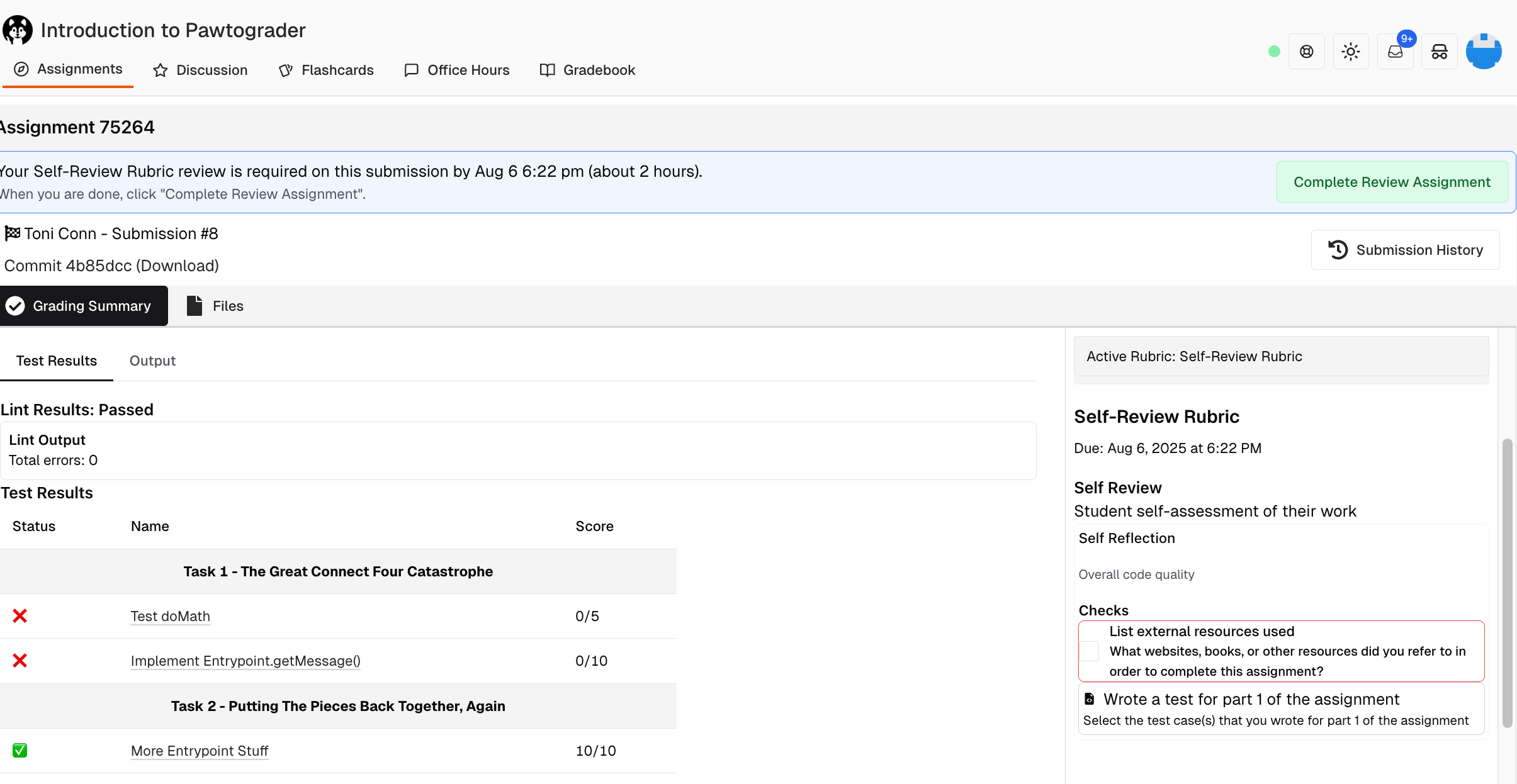
- List external resources used (submission-level check)
- Wrote a test for part 1 of the assignment (file-level check)
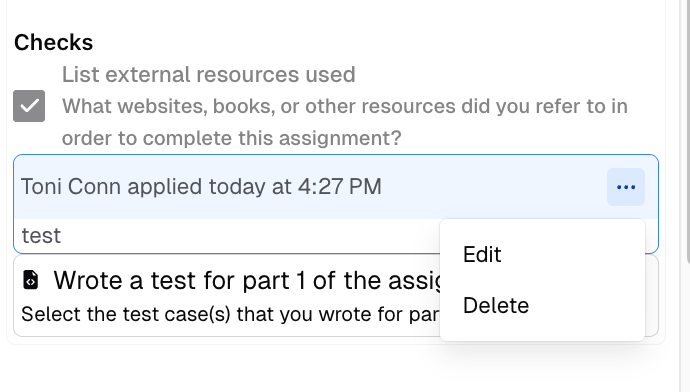
Submitting a Self-Review
Your self-review is not complete until you click “Complete Review Assignment” at the top of the page. This button will not allow you to continue until all required checks are complete.
